
Nearshore virtual executive assistants have become the go-to solution for founders and operators who need someone to own their calendar — not just move blocks around. If you've ever tried to find a virtual EA who can handle complex calendaring and ended up with someone who batches your urgent requests overnight, you already understand the cost of getting this hire wrong. A scheduling conflict that spirals into a missed deal, a double-booked board call, or a 48-hour email chain just to set a 30-minute meeting — these aren't minor inconveniences. They're symptoms of a skill mismatch. Finding a virtual EA who genuinely handles complex calendaring, works your hours, and communicates in real time requires a more deliberate hiring process than most operators run.
This guide breaks down exactly how to find, vet, and onboard a virtual EA built for complex calendaring in 2026 — with the specific criteria, tools, and cost benchmarks you need to make a confident decision fast.
What Is a Virtual EA Who Can Handle Complex Calendaring — and Why Does It Matter in 2026?
A virtual executive assistant who specializes in complex calendaring does more than block time on a calendar. They manage multi-timezone scheduling across executive teams, handle recurring board or investor meeting logistics, coordinate internal and external stakeholder availability, enforce buffer rules and travel time between appointments, and proactively resolve conflicts before they land in your inbox. The word "complex" is load-bearing: it means the EA is making judgment calls, not just clicking "Accept."
In 2026, the demand for this skill has intensified. Executives are managing larger distributed teams, more cross-border partnerships, and higher meeting volumes than ever. According to McKinsey & Company (2023), executives spend an average of 23 hours per week in meetings — much of that driven by scheduling inefficiencies that a skilled EA can eliminate. The ROI of getting this hire right is not marginal. It's structural.
Before you post a job or contact any staffing agency, you need to know what you're actually hiring for. When you set out to find a virtual EA who can handle complex calendaring, competence lives at the intersection of tool mastery, communication clarity, and proactive judgment. A candidate who can only describe experience with a single calendar tool and has never managed cross-timezone coordination is not qualified for a complex role — no matter how polished their resume looks.
How Nearshore VAs Outperform Offshore for Complex Calendaring in 2026
The single biggest failure mode when hiring a virtual EA for calendaring is the timezone gap. If your EA is 10-12 hours ahead of you, every urgent scheduling request becomes an overnight batch job. A board member cancels at 7 a.m. your time, a client wants to reschedule for 2 p.m. today, and your EA won't see either message until tomorrow morning. That lag doesn't just create friction — it creates missed opportunities and erodes trust in the support function entirely.

Nearshore EAs based in Latin America work your actual business hours — EST, CST, MST, PST — because they're in overlapping or identical time zones. They're available on Slack, by phone, and via calendar platforms the moment a conflict arises. That's a structural advantage that no amount of offshore talent can overcome. If you're weighing your options, the comparison below makes the tradeoffs explicit.
| Criteria | Nearshore EA (Latin America) | Offshore EA (Philippines / India) | Domestic EA (US-based) |
|---|---|---|---|
| Timezone overlap with US hours | Full overlap (EST–PST) | Minimal (10-14 hr gap) | Full overlap |
| Real-time calendaring response | Yes — same-hour response | No — next-day batching common | Yes |
| English proficiency | 8/10+ screened floor | Varies widely | Native |
| Monthly cost (full-time, fully managed) | $2,500 flat | $800–$1,500 (agency) | $4,500–$7,000+ |
| Recruiting + HR included | Yes (all-in) | Sometimes | Rarely |
| AI copilot for role-specific tools | Yes (Google Cal, Outlook, Calendly) | Uncommon | Uncommon |
The cost differential is real, but it's not the only variable. When you factor in the hidden cost of overnight turnaround times, miscommunication from thin English proficiency, and the absence of proactive conflict resolution, offshore looks cheaper on a spreadsheet but costs more in executive time. If you want to dig deeper into what full-time virtual EA support actually costs across provider types, the breakdown of virtual executive assistant costs on the Rose blog is worth bookmarking.
What Skills and Tools Should a Virtual EA Who Can Handle Complex Calendaring Know in 2026?
Not every virtual EA is built for high-stakes calendaring. The vetting criteria most hiring managers use — resume screening and a single reference check — will miss the candidates who burn out at month two and catch none of the red flags before placement. Here's what to actually test for when you need to find a virtual EA who can handle complex calendaring at an executive level.
Tool fluency: Your EA should have hands-on experience with at minimum two of the following — Google Calendar, Microsoft Outlook/Exchange, Calendly, Acuity Scheduling, or Cal.com. Ask them to walk you through how they'd set up a recurring weekly leadership sync with five participants across three time zones using your actual tool. If they hesitate, they're not ready for complex calendaring work. According to SHRM's Talent Acquisition research (2024), skills assessments during hiring reduce early-turnover rates by up to 26% — a number that holds especially true for technical administrative roles.
Conflict resolution judgment: Great calendaring EAs don't just surface conflicts — they solve them before you see them. Ask scenario-based questions: "Two priority-one stakeholders both want the 10 a.m. Tuesday slot. You can't split it. Walk me through what you do in the next 20 minutes." The answer reveals whether they understand stakeholder hierarchy, communication etiquette, and decision escalation protocols. This is the core of what separates a true complex calendaring specialist from a basic appointment-setter.
Proactive communication habits: A virtual EA who can handle complex calendaring sends the end-of-week calendar preview unprompted. They flag the Thursday that's 90% booked before you try to add three more meetings. They notice the back-to-back flights and 8 a.m. meeting combo and ask before locking it. Passive VAs wait for instructions. Skilled calendaring EAs anticipate the next problem. According to Harvard Business Review (2023), managers who delegate calendar management to a skilled assistant reclaim an average of 8 hours per week — but only when the assistant has genuine proactive judgment, not just tool access.
"Delegation without clear systems just moves chaos from your desk to someone else's. The EA who handles your calendar well isn't just organized — they understand your priorities at a strategic level." — Michael Hyatt, Founder & CEO at Full Focus (2022)
AI copilot advantage: Rose's nearshore EAs ship with a role-specific AI copilot trained on the exact tools they'll use — including scheduling platforms, communication suites, and CRM integrations common to executive support roles. This cuts ramp time dramatically. Learn more about how that works on the AI advantage page. For context on what a fully loaded EA role can cover beyond calendaring — including email, reporting, and research — the broader executive and operational support services page outlines the full scope.
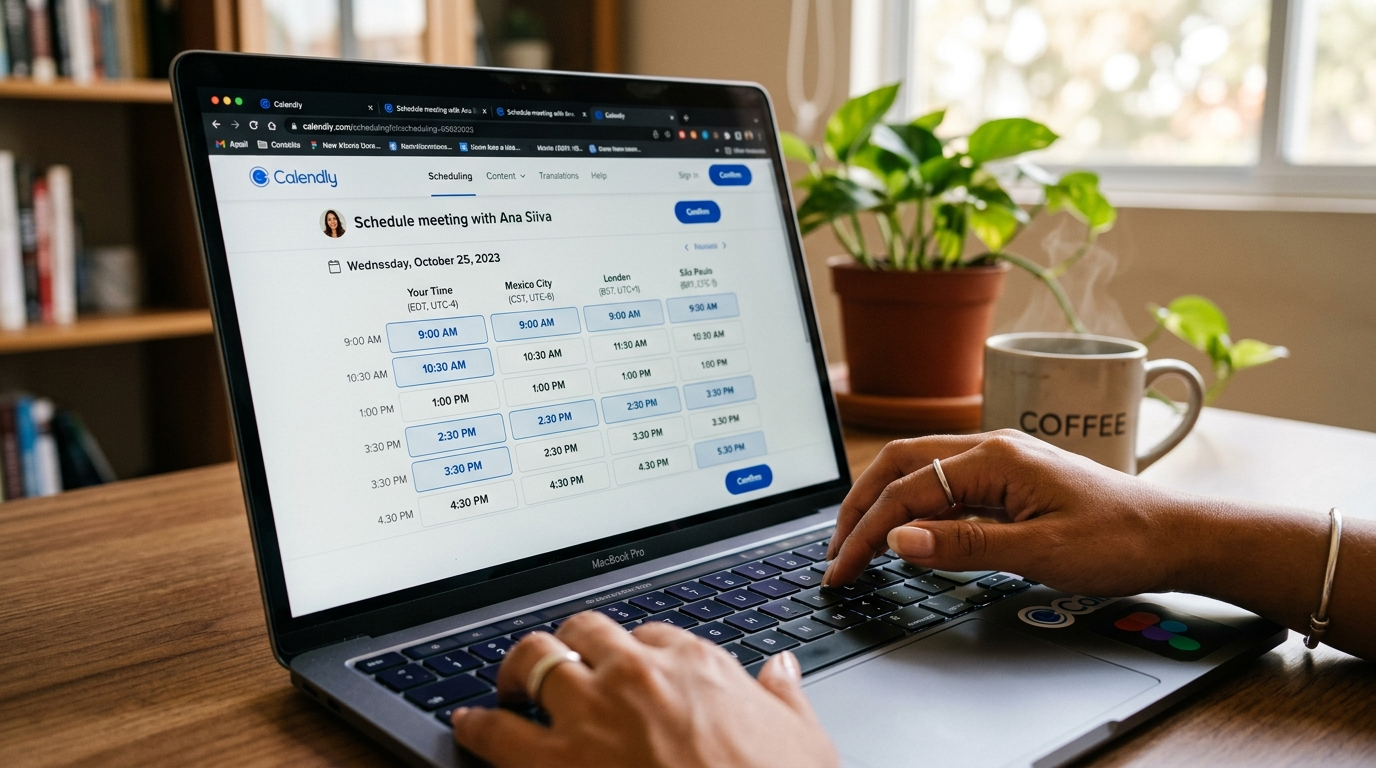
The difference between a basic VA and a virtual EA who can handle complex calendaring isn't just experience — it's judgment under pressure. When two board members collide on the same slot and your CEO is on a flight, you need someone who can resolve it without a single escalation to you. That's a trained skill, not a default capability.
How the Rose Hiring Process Works for EA Placements in 2026
If you decide to go the managed nearshore route rather than hiring independently, understanding what a rigorous placement process looks like is important — both so you know what to expect and so you can benchmark any provider you evaluate against it. The process below is what Rose runs for every EA placement where the client needs someone who can handle complex calendaring from day one.
Role Discovery Call
Rose's team maps your exact calendaring complexity — tools used, stakeholder count, timezone spread, and escalation protocols — before sourcing a single candidate. This scoping step prevents mismatched placements.
Vetted Candidate Matching
Every candidate clears English proficiency screening (8/10+ floor), a live skills assessment on scheduling tools, and a reference check focused specifically on calendar and executive support experience.
AI Copilot Activation
Before day one, your EA's role-specific AI copilot is configured for your scheduling stack — Google Calendar, Outlook, Calendly, or whatever combination you run — so ramp time is measured in days, not weeks.
Onboarding + First-Week Handoff
Rose manages the full onboarding, payroll, and HR administration. You spend your first session walking the EA through your calendar preferences, priority tiers, and communication rules — nothing else.
Ongoing Management + Replacement Guarantee
If the placement isn't the right fit at any point, Rose replaces the team member at no additional cost. Month-to-month terms mean no long-term contract locks you in.
The flat $2,500/month rate covers recruiting, vetting, payroll, HR, and ongoing management. There are no per-task fees, no hidden setup costs, and no long-term contract. If you're also evaluating whether to add marketing or bookkeeping support alongside EA services, it's worth knowing that Rose's bookkeeping and accounting virtual staff follow the same vetting and placement model — many operators run both concurrently.
How to Evaluate Any Virtual EA for Complex Calendaring Before You Hire
Whether you're working with a staffing agency or hiring independently, the pre-hire evaluation process determines everything. Most operators run a 20-minute interview and call it done. That's not enough for a role that will own your most valuable asset — your time. The goal is to find a virtual EA who can handle complex calendaring under realistic pressure, not just describe it on a call.
Run a practical simulation. Give the candidate a realistic scenario: "You manage my calendar. It's Monday morning. I have three external meetings, two internal syncs, a 3 p.m. flight, and a board member who just emailed asking for 45 minutes this week. Show me what Monday through Wednesday looks like by end of business today." How they respond — the questions they ask, the assumptions they flag, the draft they produce — tells you more than any resume line.
Check timezone awareness explicitly. Ask them to convert four meeting times from PST to EST, then to CET. Basic competency here is non-negotiable for any multi-timezone complex calendaring role. According to the U.S. Bureau of Labor Statistics (2024), administrative assistants who support executive-level staff are among the highest-demand occupational categories in the country — yet fewer than 30% of candidates have formal training in advanced scheduling methodologies. That gap means you have to test, not assume.
Ask about escalation protocols. When something can't be resolved — a stakeholder won't budge, a conflict is above the EA's authority to decide — what do they do? A skilled EA who can handle complex calendaring has a clear escalation path and doesn't let ambiguity create inaction. Vague answers here are a disqualifying signal. According to Gallup's State of the Global Workplace report (2024), employees who are well-matched to their roles are 23% more productive — a finding that holds directly for virtual staff where role clarity and skill-match at hiring determines long-term output quality.
Research from Pew Research Center (2023) found that 62% of workers in administrative support roles say the complexity of their responsibilities has increased significantly over the past five years — driven largely by the proliferation of scheduling tools, distributed teams, and real-time communication expectations. That complexity growth is exactly why a simulated test matters more than ever when you're trying to find a virtual EA who can handle complex calendaring at scale.
Signs You've Found the Right Candidate
- They ask clarifying questions about your priority hierarchy before proposing solutions
- They've managed 3+ executive calendars simultaneously in a prior role
- They proactively flag timezone math errors in the simulation scenario
- They know the difference between "urgent" and "important" when triaging conflicts
- They can demonstrate tool fluency live, not just describe it
Red Flags to Eliminate Immediately
- They've only done appointment-setting, not true complex calendaring for executives
- They can't articulate how they'd handle a same-day conflict without escalating to you first
- Their English fluency breaks down under a realistic pressure scenario
- They've never managed cross-timezone scheduling
- They can't name a second scheduling tool beyond the one on their resume
For operators who need support beyond the EA role — think a virtual assistant who can run Google Ads campaigns or a team member who handles full-cycle email marketing — Rose's nearshore model scales across functions without adding coordination overhead. Each team member is matched to their specific role, not cross-trained to cover gaps in a generalist model. Many operators who start by hiring a nearshore EA for complex calendaring add a second team member within 90 days once they see the throughput gain.
If you're ready to move forward, starting a conversation with Rose takes under five minutes — and the first step is the same role discovery scoping call that ensures the match is right before anyone is placed. It's also worth reading Rose's coverage of the best social media manager virtual assistant services if you're building out a broader support function, since many operators hire an EA and a social media VA concurrently as their first two nearshore team members.